How to Create a Database in Notion for Voice Memo Processing
To capture transcripts and other metadata automatically.
One of the capabilities of AI that has long fascinated me is its ability to turn spoken word into text — much more accurately than Dragon Natural Speech I used a decade plus ago.
To make things easy for me, I have set up a database for 'Voice Memos' in my Notion that contains transcripts of all my voice memos I record.
With a new Notion integration, Shalveena and I are working on — Voice Keeper — it becomes very straightforward to set up such an integration in your own workspace.
Here the step-by-step instructions of how to set up a database as a home for all your voice memos:
- First, create a new database in Notion.
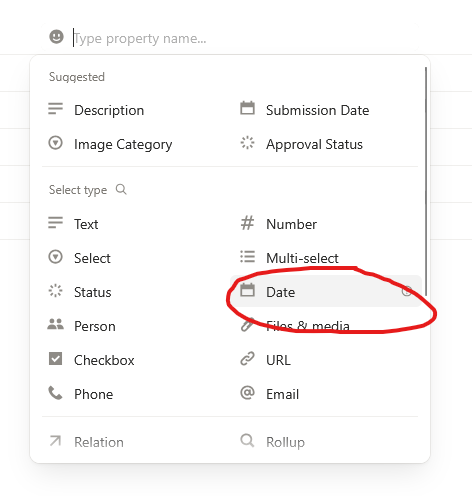
- Then add a Date property to the database.
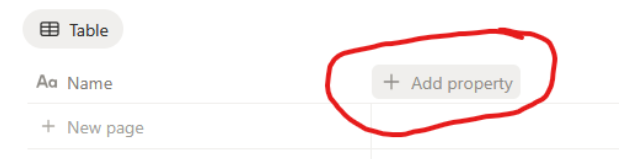
- I also like to change the default 'Name' property to 'Title' since I feel that's more befitting of memos.
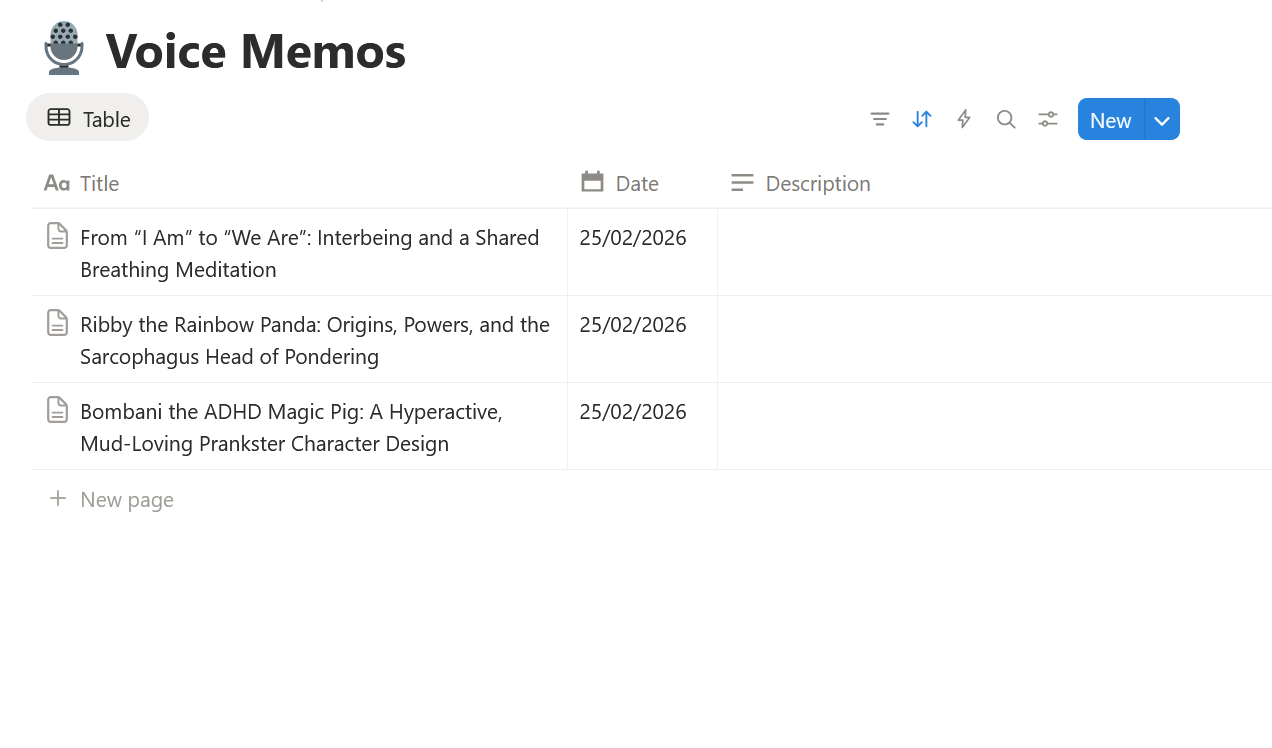
Your database should now look like this:
Now, simply head to voice-keeper.com to link our integration to your Notion and link it to this database.
Afterwards, you can simply drag and drop your voice memos into your database and they will be transcribed automatically 🪄
 Follow