Find Out How Many Pages are in a Notion Database
It only takes a few clicks and here I explain how to do it!
It's surprisingly difficult to find out how many pages are in a Notion database.
Here are a few ways:
Export
The first way that works on any database (and doesn't require you to make changes to the database) is to use Notion's export feature.
To create an export in order to get the number of row, do the following:
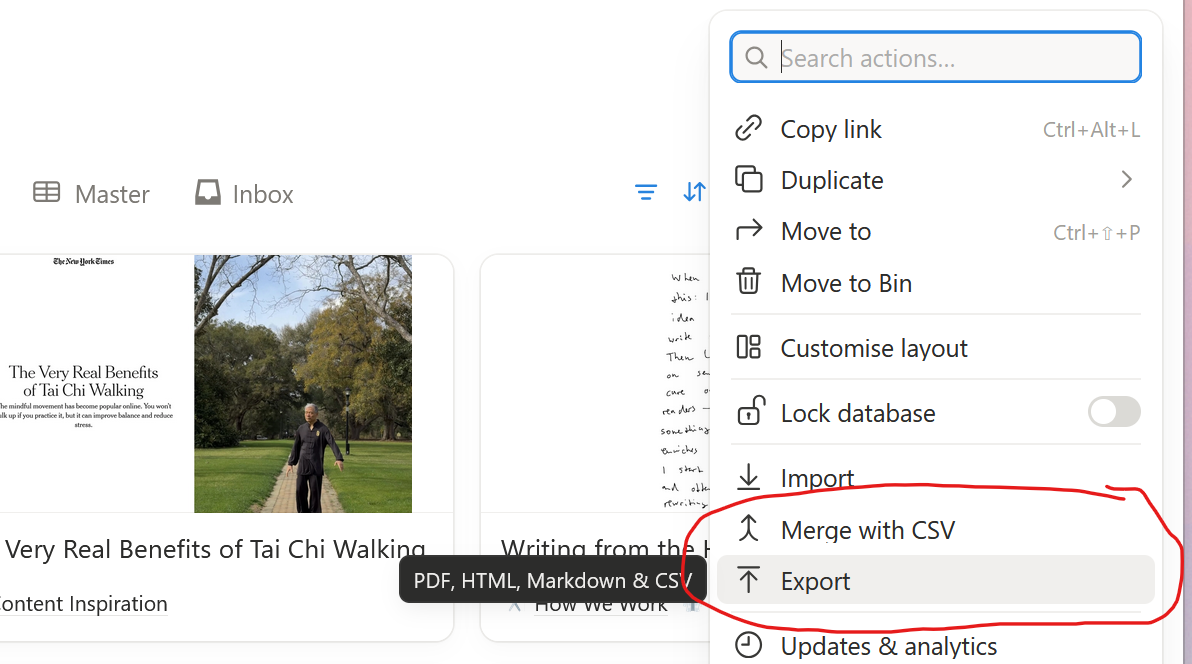
Click the button with the three dots [...] at the top righthand side of the screen.
Then click on 'Export'
Confirm the following settings and click the [Export] button:
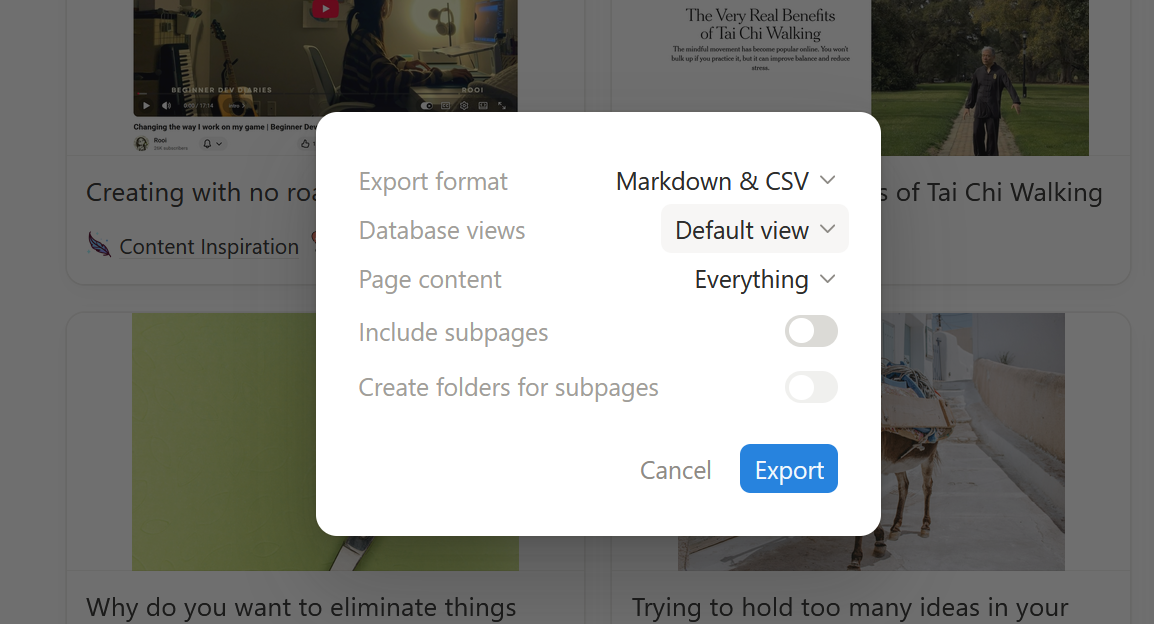
Make sure to select the 'Default view' under 'Database views.
If you database is relatively small, Notion will start downloading the export right away. If your database is large, you may have to wait until you get a notification in Notion with the export link.
The downloaded export is a zip file.

You'll need to extract it twice 😣but eventually you'll get a CSV file.
Open the file with the _all.csv suffix.
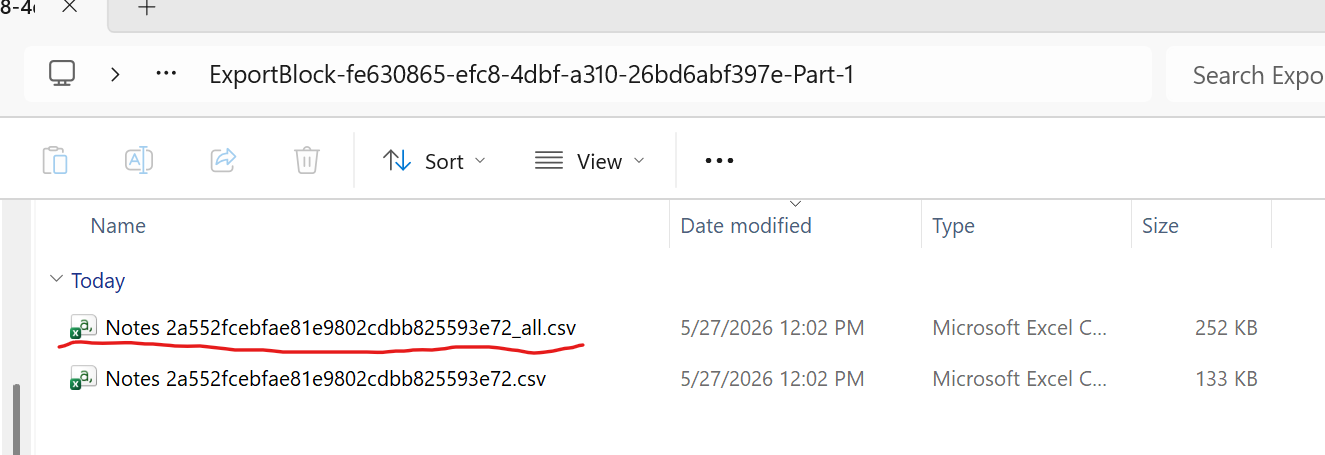
Simply open it in Excel or another tool, and scroll down to the last line.
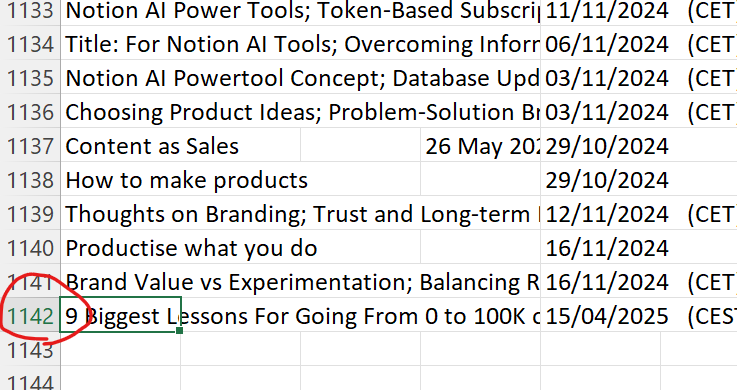
Subtract 1 from the line number and you'll have the number of rows in the table!
Count Calculation
This next method requires you to make a change to your database. So it's a great way if you often need the count for a database.
However, making this modification negatively impacts the loading times for your database, so I would recommend to undo it if you don't need the count often.
To use the count calculation from notion to determine the number of rows, right click on your title property.
Then select 'Calculate', then 'Count' and finally 'Count all'
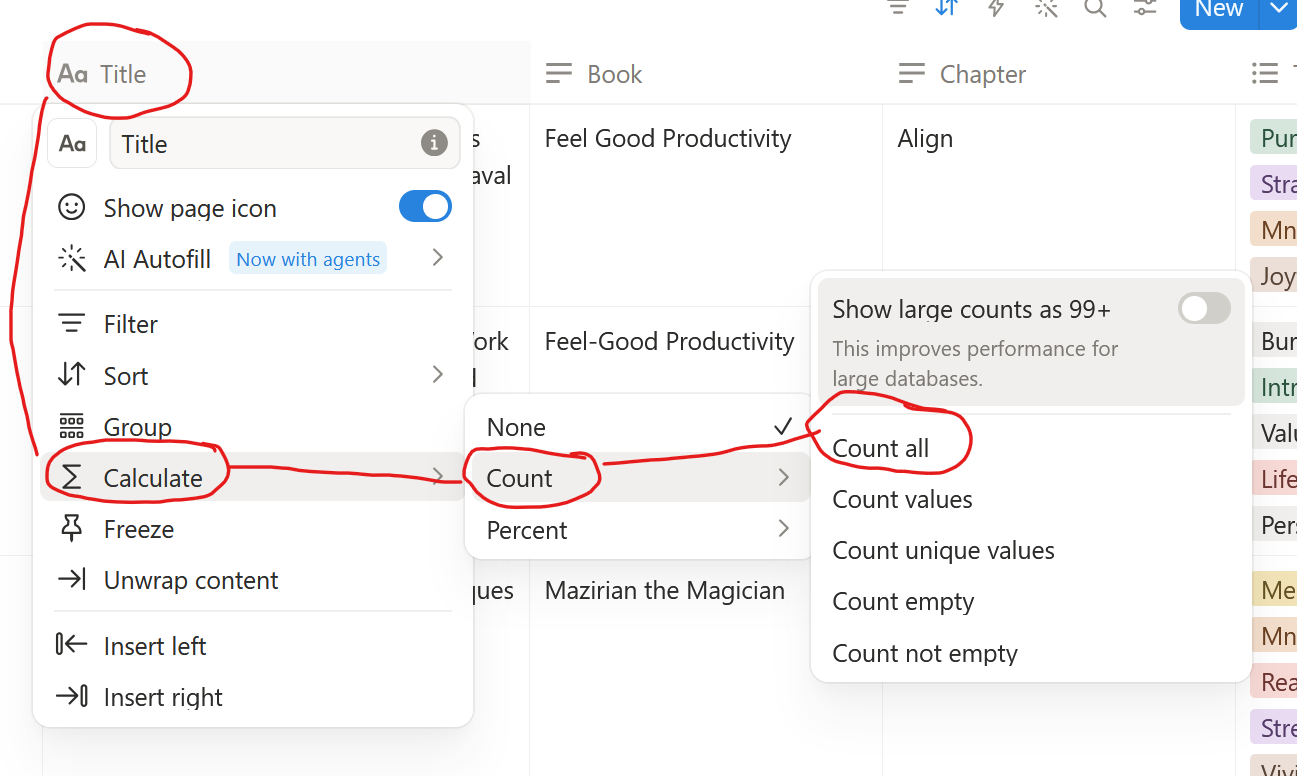
Now you'll find a Count # calculated at the bottom of your screen for this property.
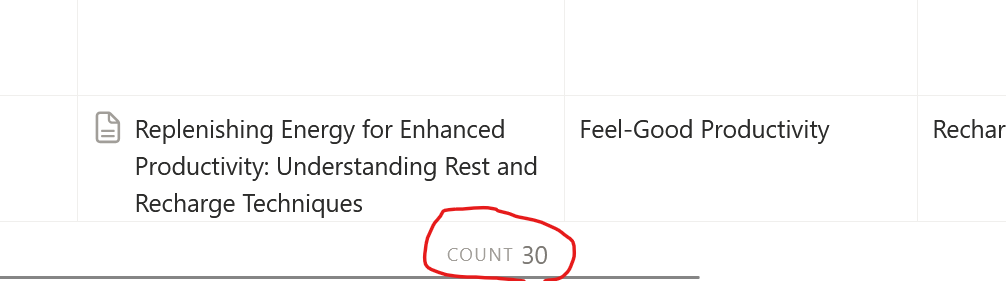
The count shown is the number of pages in your database.
Note this count takes into account what filter you currently have active. It will show the count of all the pages that match the filter.
So if you are looking for an accurate count of ALL pages in your database, make sure that no filters are active.
Conclusion
These are all the ways that I know how to get the number of pages in a Notion database.
If you are wondering why Notion doesn't display the number of pages by default, I cannot know for sure, but I'm pretty certain it's for performance reasons. Notion's internal architecture must make it expensive for them to calculate all pages in a database.
Thus, if you are using the count property, ensure you only leave it configured if you really need it frequently – Notion is already slow enough, we don't need to make it any slower unnecessarily.
If counting the number of rows in your database is the least of your Notion problems – and you slowly find yourself with an unmanageable mess of pages and database, please consider to check out this template (free) I made together with my wife: Commonplace Book: A Refuge For Your Thoughts.
 Follow