How to Avoid Route 53 $0.50 / Month Charge per Hosting Zone using Free CloudFront Distribution
Step-by-step instructions to reduce your costs to $0 for any domain.

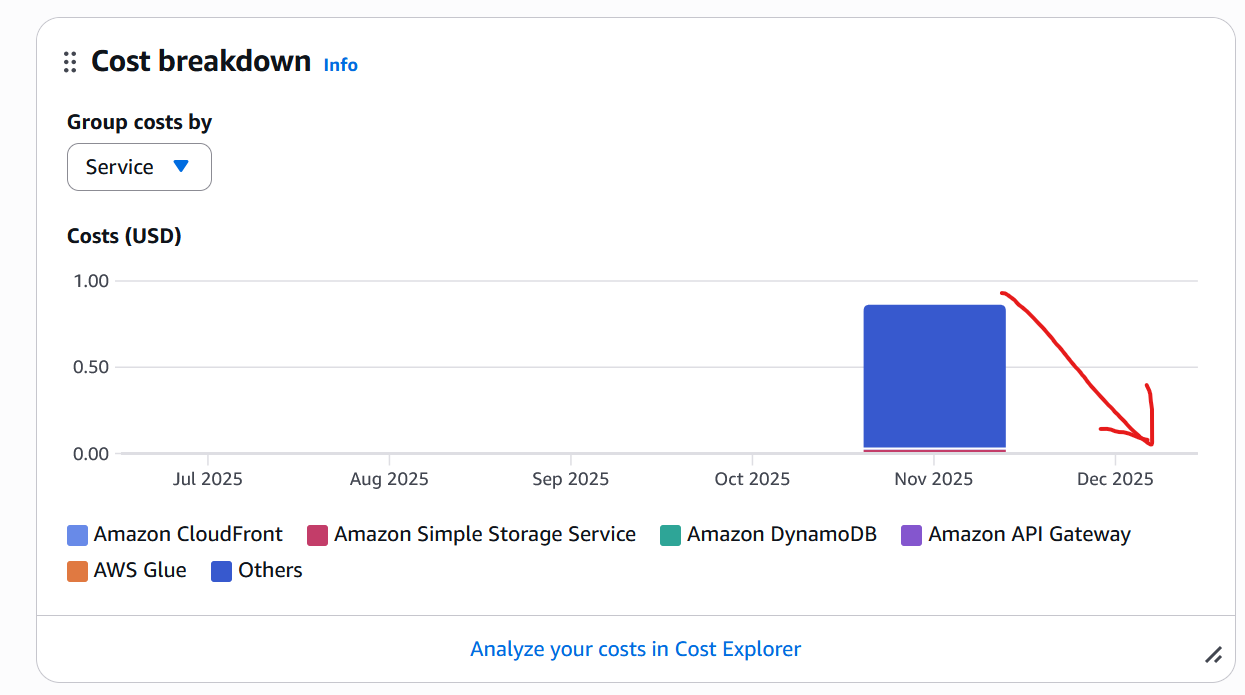
AWS Route 53 charges US$0.50 per hosted zone per month.
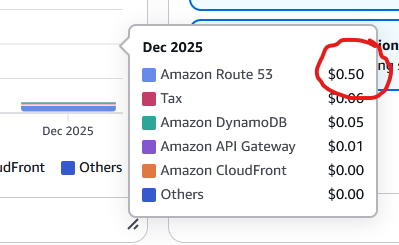
This can quickly add up if you have multiple domains – especially when using different AWS accounts for dev, uat and prod; which each will need their own hosted zone.
Thankfully AWS has recently release flat-rate pricing for CloudFront distributions, and one of the included services for the free-tier plan is a Route 53 hosted zone 🥳
Using CloudFront distributions, you can reduce our costs for hosted zones to $0.00.
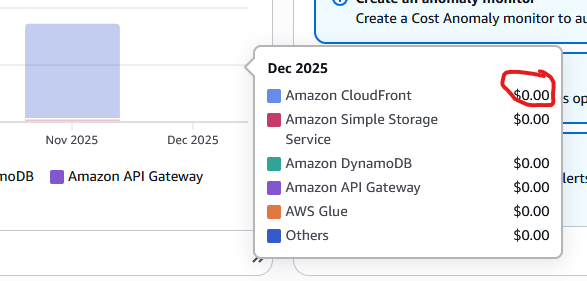
And, best of all, you don't need to change our application for this!
You don't need to update your existing CloudFront distributions – you can simply create a new one and point it to any subdomain in the hosted zone.
Here is how to do it:
- Head to the AWS Console and Open CloudFront / Distributions
- Click [Create Distribution]
- Select the Free plan and click [Next]
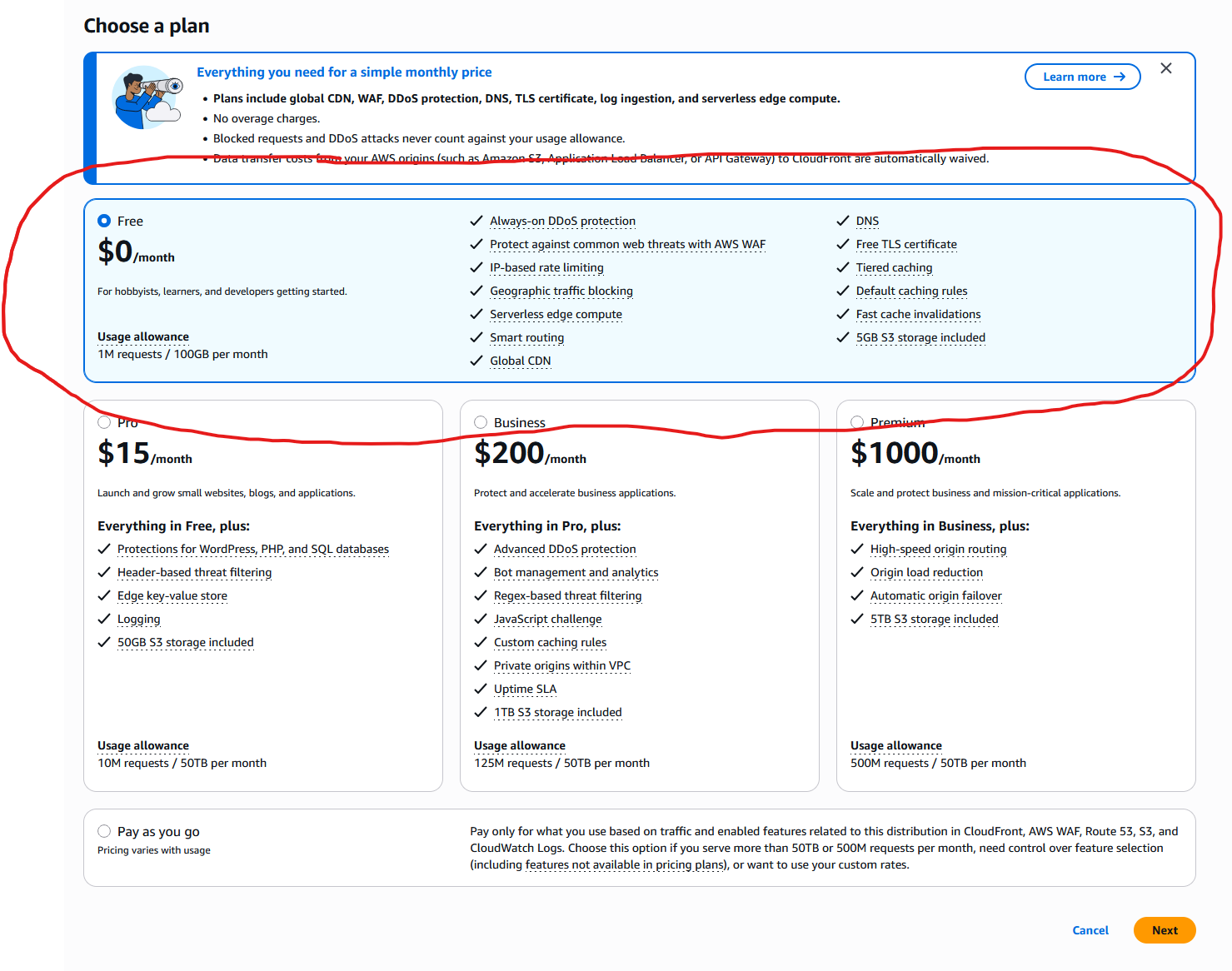
- Choose any name and description you like
- IMPORTANT: For Domain, provide a subdomain of the hosted zone domain in Route 53 you would like to offset the costs for.
- For instance, if your domain is mydomain.com - you can choose offset.mydomain.com
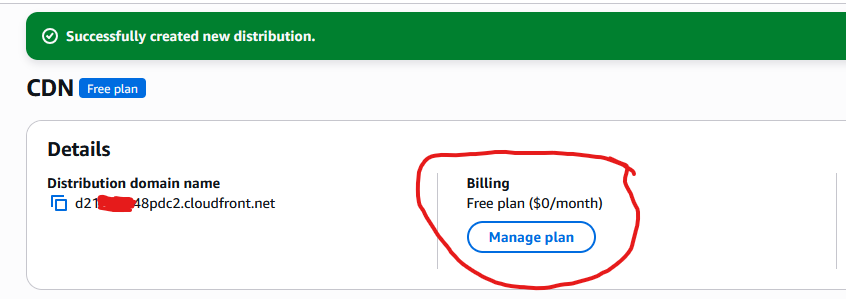
- When you did everything right, you will see the following confirmation:

- For specify origin, choose Other
- Provide any domain / path you like. E.g. point back to your main domain.
- Enable rate limiting on the security page and go [Next]
- Create a new TLS certificate
- IMPORTANT: if you have the choice to use an already existing one, I would recommend to not choose it and instead create a new one. This way, we are not interfering with any other setup made in the account.
- Now you can create the distribution.
- Once the distribution is created, click [Manage plan] under billing.
- Look for the line 'Route 53 DNS: [your hosted zone domain]' - if that is there, you won't be charged the US$0.50 per month anymore for this hosted zone 🥳
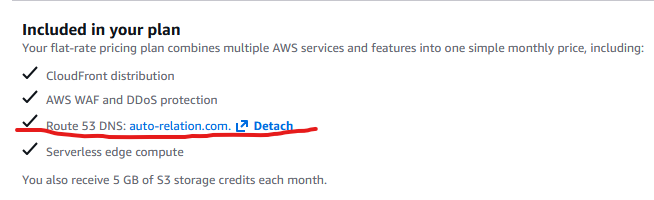
That's all we need to do. If you are already using CloudFront, you could of course also change any existing CloudFront distribution to use the flat-rate pricing.
But good luck with that! You will likely find it is not possible out of the box – due to many features in CloudFront not being covered in the flat-rate pricing.
And if you use any of these features, the option to select the free plan will be grayed out:
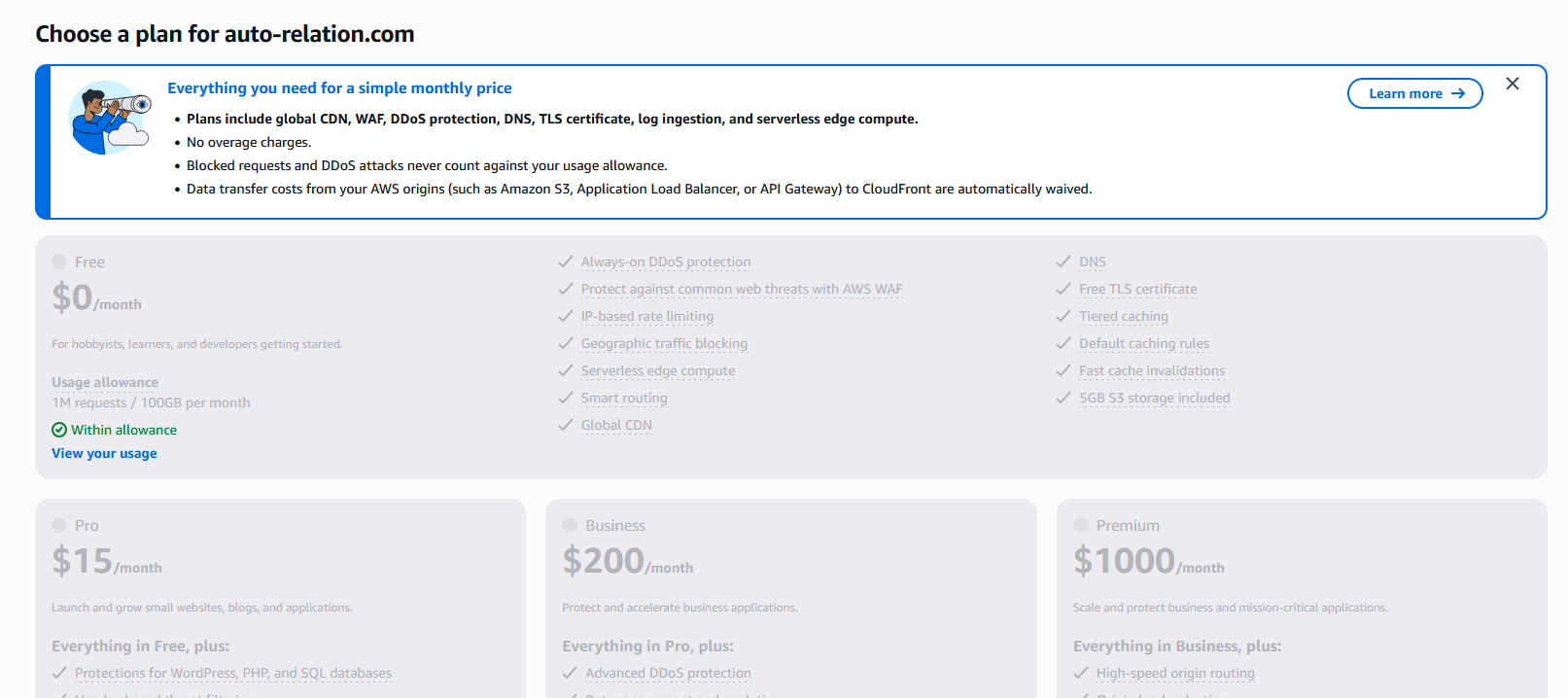
Much easier to create a new distribution under a different sub-domain!
If you are considering deploying a Next.js based project using CloudFront, please consider my free starter templates:
I haven't updated them to use the flat-rate CloudFront distribution but will likely do so in the future - please raise an issue if you are interested in this feature and this will surely motivate me to get to it quicker.